¶ Merge Geometry Widget
¶ Overview
This widget merges geometries and edits feature attribute properties within ArcGIS Experience Builder.
¶ Getting Started
¶ Installation
Select the widget in the Experience Builder canvas to open the configuration panel on the right.
¶ Configuration
The configuration panel has three sections:
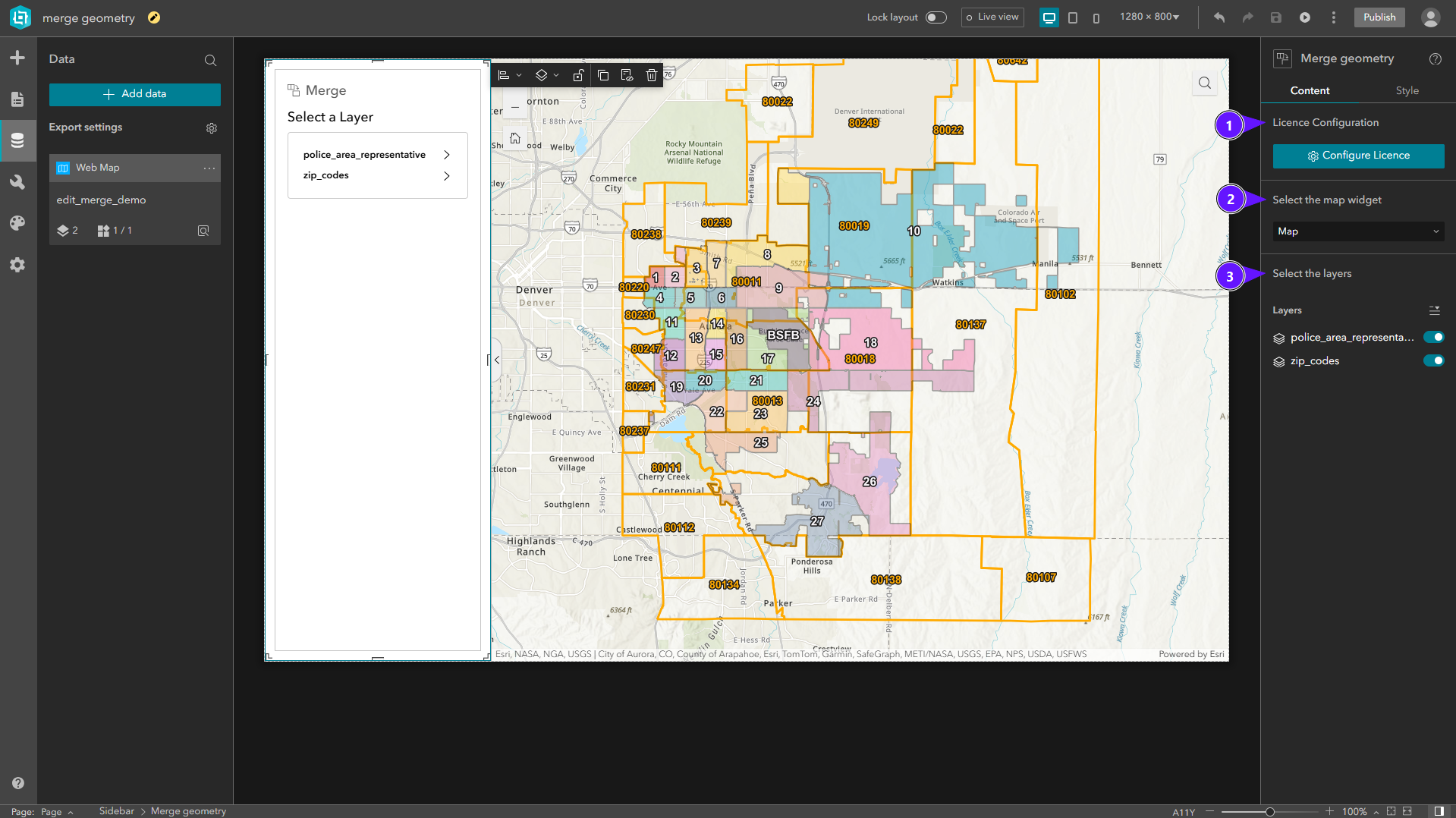
- License Configuration
- Select Map Widget
- Select Layers
¶ License Configuration
To activate the widget license:
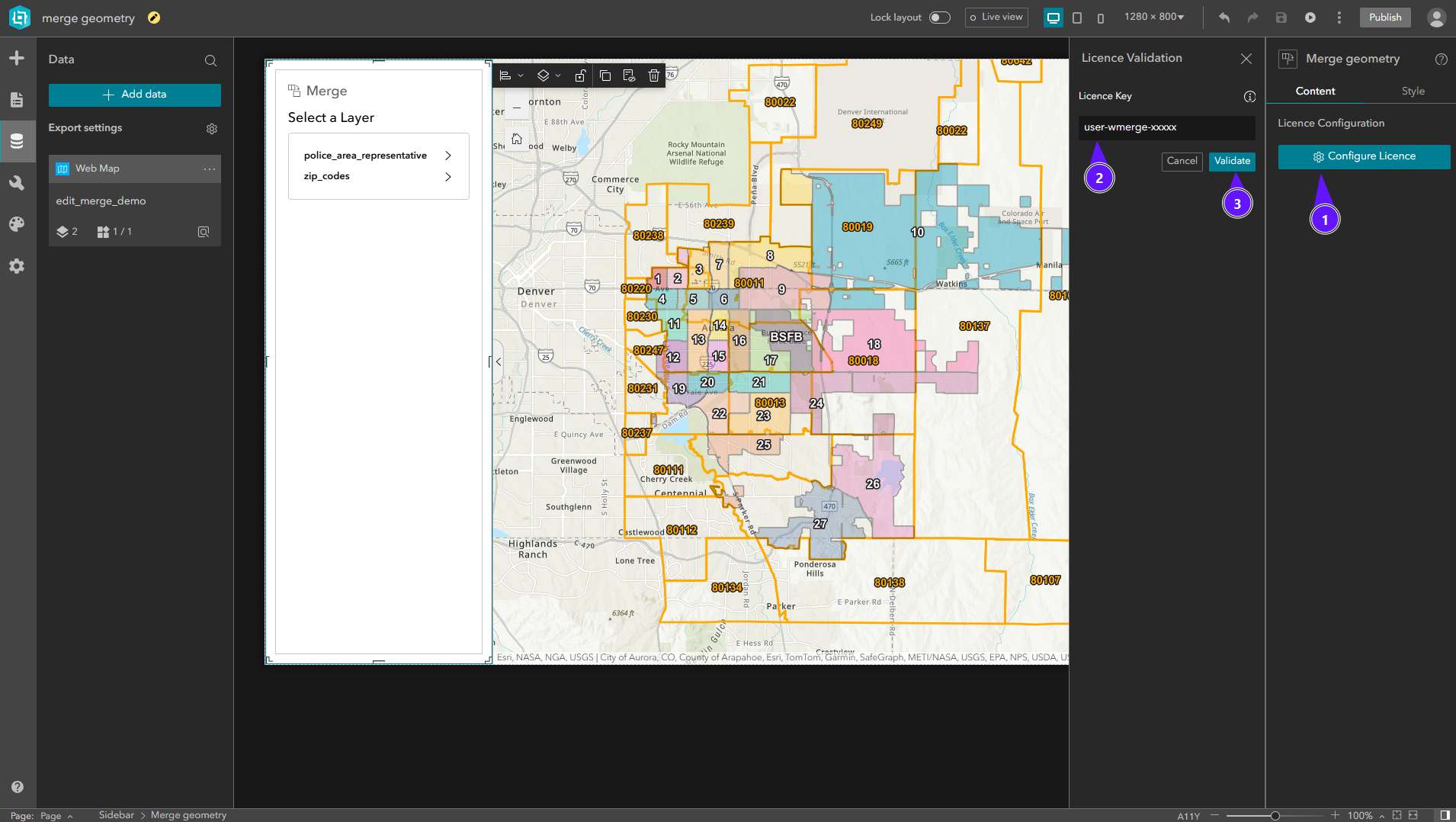
- In the right panel, click Configure Licence.
- Enter your license key in the input field.
- Click Validate.
Once validated, the widget is fully functional.
¶ Select Map Widget
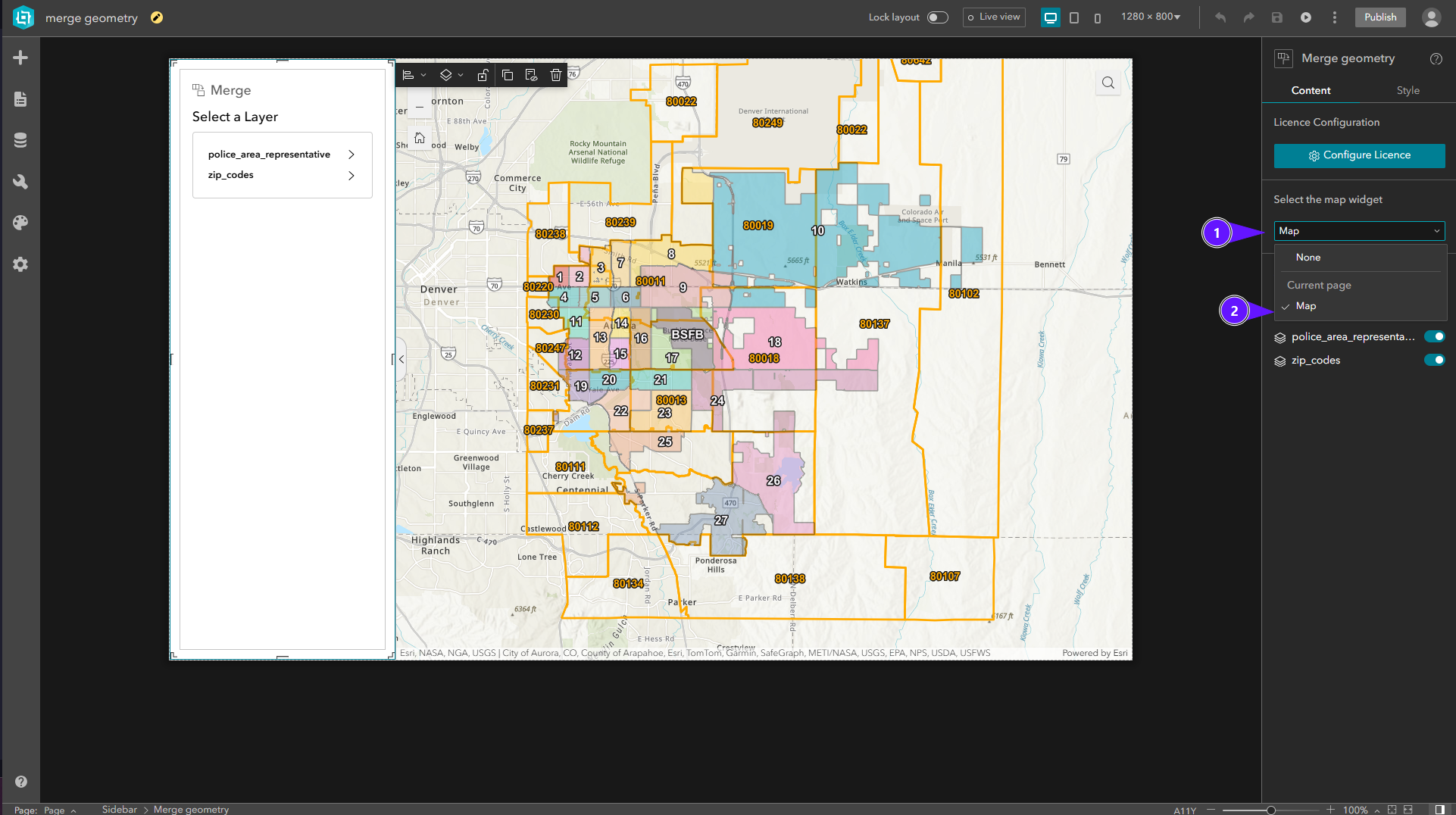
In Select Map Widget, open the dropdown (1) and choose the map (2) to use with this widget.
¶ Select Layers
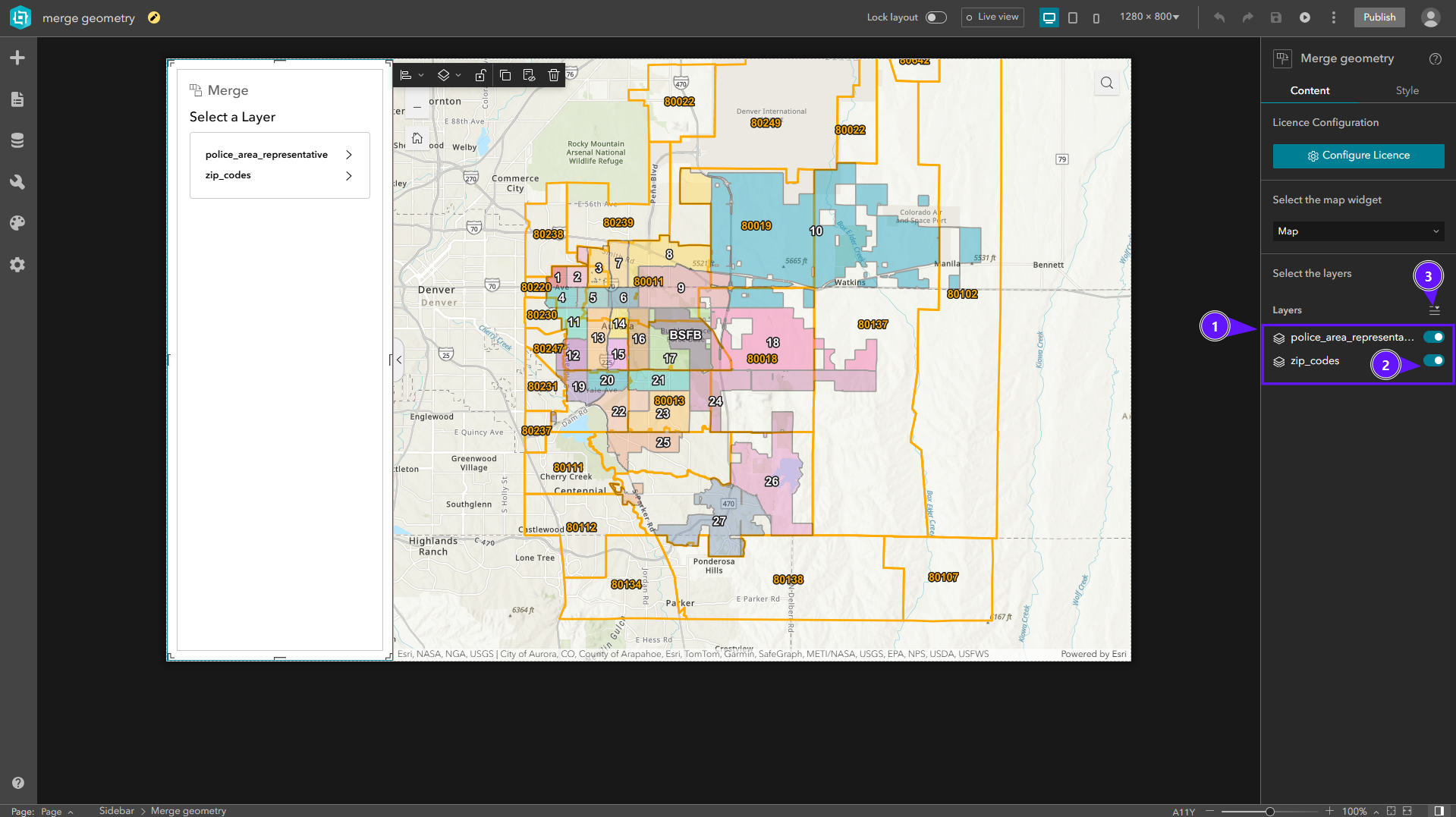
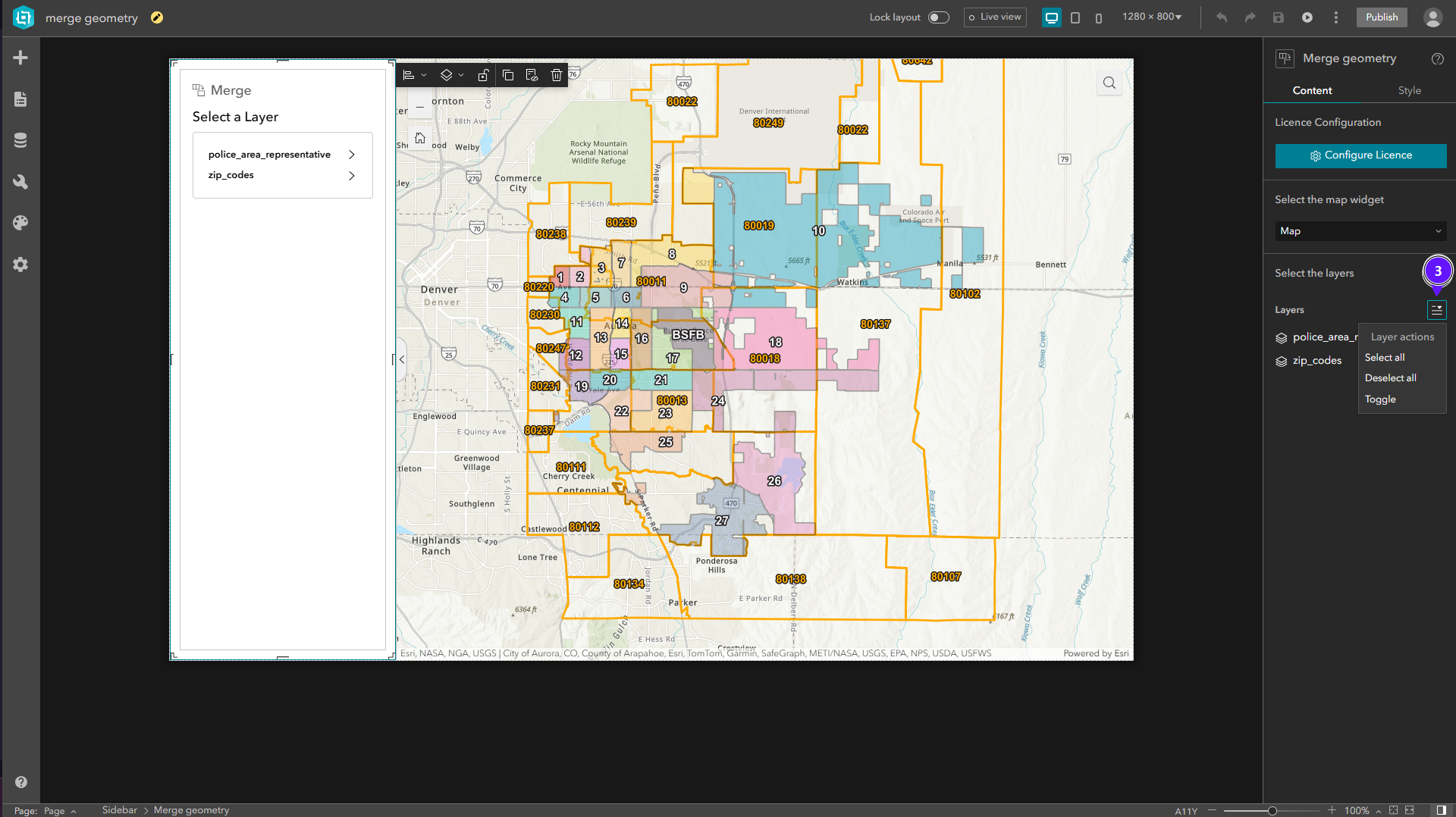
In Select Layers, the layer list (1) lists layers available in the published app. Enable or disable layers (3) for merge operations. Use the quick-select tool (3) to select layers faster.
¶ Usage
¶ Layer Selection Screen
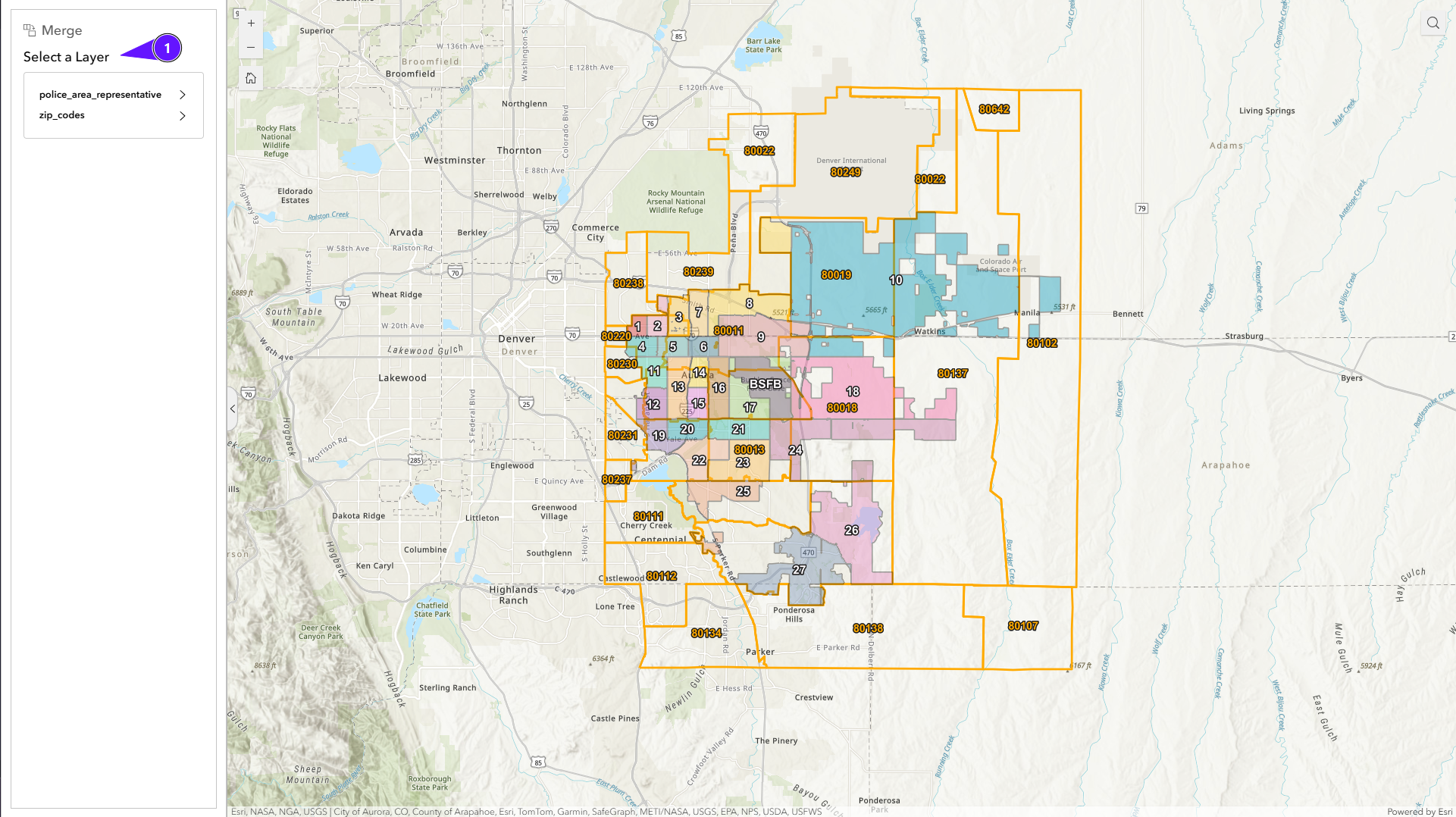
The first screen shows the layer selection. Only layers configured in the Configuration section are listed.
¶ Operations Screen
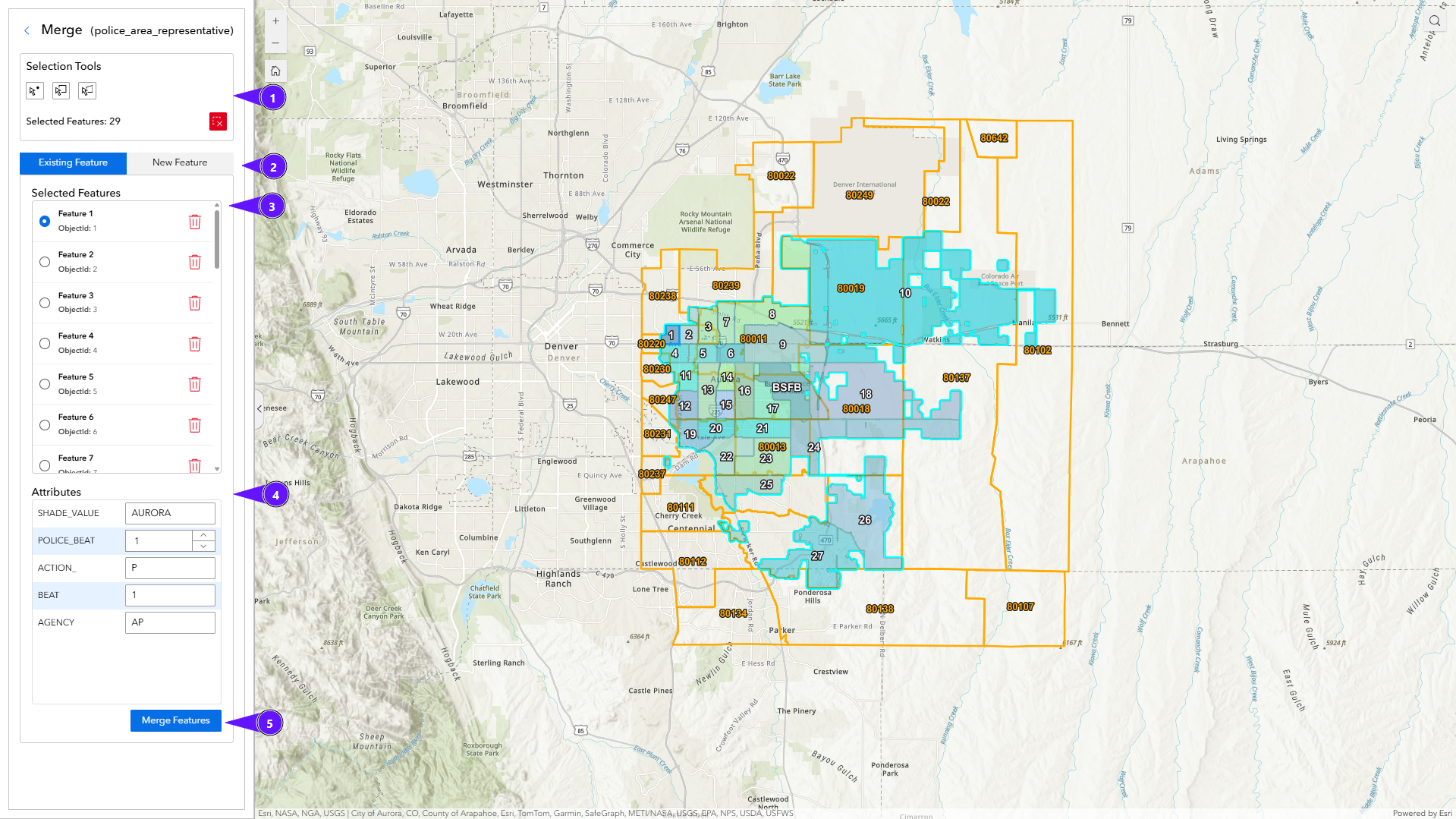
After selecting a layer, the operations screen shows:
- Selection tools (1)
- Operation type (2)
- Selected features list (3)
- Attribute edit form (4)
¶ Selection Tools
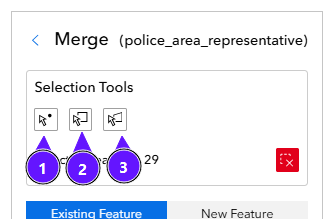
Three selection tools are available:
| Tool | Description |
|---|---|
| (1) | Point |
| (2) | Rectangle |
| (3) | Polygon |
- Hold Shift to add features to the selection.
- Hold Ctrl to remove features from the selection.
- The red button clears all selected features.
¶ Operation Type
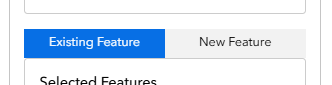
| Operation | Description |
|---|---|
| Existing Feature | Merges selected features and appends the result to a previously selected feature. |
| New Feature | Creates a new feature from the merged geometry. |
¶ Selected Features
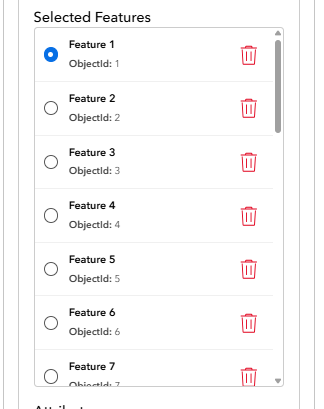
This section lists features selected with the selection tools. You can:
- Remove individual features.
- For Existing Feature, choose the target feature that will receive the merged geometry and updated attributes.